Every image on this page is real, and none of them has alt text written in — except one, on purpose. Turn on Isharat's Describe Images tool below and watch it work, live, on photos, illustrations, people, and text, at whatever detail level you choose.
8 Real Test Images3 Detail Levels1 Image Already Has Alt Text
Your Own Image
Describe Your Own Image
Upload any image and see exactly what Isharat's AI writes for it — the same engine that describes images automatically on websites where the Isharat widget is installed. You will get three descriptions of the same image at increasing levels of detail, so you can choose how much you want to hear.
How to Use This
Choose the description language. Use the arrow keys to pick Arabic or English, then press Tab to continue. This is the language the description will be written in — it does not change the language of this page.
Choose an image from your device. Activate the "Choose an image" button and pick a JPEG, PNG or WebP file under 5 megabytes. The description starts as soon as you choose the file — there is no separate send button.
Wait. You will hear "Describing your image". It usually takes about ten seconds. You will hear "Description ready" when it is finished.
Read the descriptions. Your cursor moves to the results automatically. There are three headings — Short, Medium and Detailed — each followed by its description. Move between them with your screen reader's heading command: H in NVDA and JAWS, or the rotor set to Headings in VoiceOver.
Short is one sentence naming what the image is.
Medium adds the setting and one notable detail.
Detailed includes any text visible inside the image, along with colours, layout and mood.
The image itself is labelled too. The uploaded image on this page is given the short description as its alternative text, which is exactly what Isharat does to images on a real website.
Try another image with the "Choose a different image" button. Your previous image is deleted as soon as its description is ready.
JPEG, PNG or WebP · up to 5 MB · one image at a time
Your image is sent to be described and is then deleted. It is not published on this site, not added to any gallery, and not kept after the description is produced. Location and camera information stored inside the photo is removed before processing.
Your Description
Describing your image…
Short
Medium
Detailed
The engine's own certainty about this description — not a guarantee of accuracy.
How To Test This Page
Three Steps, Then Just Explore
No account, no setup — the same widget already running across isharat.net.
1
Open the Toolbar
Click the Isharat icon in the bottom corner of this page, or press Ctrl + /.
2
Turn On Describe Images
Find "Describe Images" in the toolbar and pick a detail level — short, medium, or detailed.
3
Scroll Through the Gallery
Every image below gets described in real time. Try switching levels on the same image to compare.
Step by Step
With a Screen Reader, or by Touch
Everything below is reachable by keyboard, and status changes are announced through an ARIA live region so your screen reader isn't interrupted mid-sentence.
Desktop & screen readers
Turn it on
Press Ctrl + /, or open the Isharat toolbar and choose Describe Images. Your screen reader announces that descriptions are being generated.
Choose your detail level
Short, Medium, or Detailed. Short is the default and works best for scanning; Detailed transcribes text-heavy images in full.
Decide about existing alt text
Images that already have human-written descriptions are left alone. Switch on Override human alt text if you'd rather have the AI look afresh.
Read as normal
Descriptions are written into each image's real alt attribute, so NVDA, JAWS, and VoiceOver read them like any other alt text.
Phone & tablet
Open the Isharat menu
Tap the floating Isharat button — or double-tap it if TalkBack or VoiceOver is running.
Select Image Description
A spoken cue confirms the tool is active.
Set detail level and alt override
The same three levels and the same override switch, in the mobile panel.
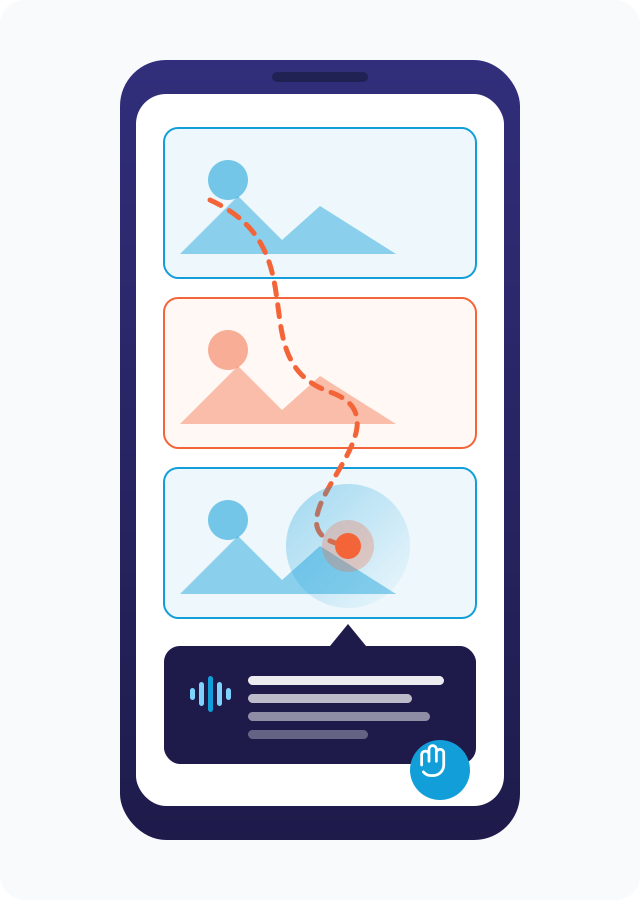
Touch to explore
Drag your finger across the images below. TalkBack and VoiceOver speak each description as you land on it.
What to expect while it loads: on a page nobody has described before, the first 5 images are ready in about 12.3 seconds — you can start exploring those straight away while the rest finish in the background. Come back to the same page later and the descriptions load from cache in 19 ms.
PG-2ADesktop image-description controls
Screenshot of the toolbar panel showing the three detail-level options, the "Override human alt text" switch, and the status region that announces progress to screen readers.
1200 × 750 px · 16:10 · WebP + PNG · EN and AR variants
Why These 8 Images
Picked on Purpose, Not at Random
Each image below tests something different: a real documentary photograph, a posed group of people, a hand-drawn cartoon, an image where the entire content is text, and — in one case — an image that already has proper alt text, so you can see what respecting existing accessibility work actually looks like.
The Test Gallery
8 Images, 5 Kinds of Challenge
Real Photographs
Unstaged, real photos — the kind that make up most images on any real website, and the kind visitors encounter constantly without a description.
No Alt Text
A Walk Around the Grand Mosque
Each year, millions of Muslims travel to Mecca, Saudi Arabia, for Hajj — the pilgrimage every able Muslim is asked to complete once in their lifetime. For a few days, nationality, language, and wealth fall away: everyone wears the same simple white garments, called ihram, as a visible sign of equality. It's one of the largest recurring human gatherings on Earth.
No Alt Text
Lunch on a Corfu Side Street
Some of the best meals happen at a small table wedged onto a sidewalk, under someone else's awning. Streets like this one, on the Greek island of Corfu, are lined with family-run tavernas that spill into the walkway the moment the weather allows it — no reservation needed, just an empty chair.
No Alt Text
Where the Sea Meets the Shore
There's a reason so many of us picture the coast when we imagine a proper holiday: the sound of waves, the particular color only shallow, sunlit water seems to have, and sand that hasn't been touched yet this morning.
People
Accessibility only means something if it works for everyone testing it — not just one kind of visitor. This photo alone spans several nationalities, ages, and genders.
No Alt Text
Five People, Five Stories
Put five strangers side by side and you'll rarely find two life stories that match. This kind of everyday, unposed variety — different backgrounds, genders, and ages — is exactly what a good image description needs to notice and represent fairly, without stereotyping and without ignoring it either.
Illustration & Cartoon Art
Cartoons, icons, and drawings show up everywhere online — in children's content, marketing, and apps — and they need describing too, in a way that's honest about being a drawing, not a photo.
No Alt Text
A New Friend
Illustrated characters like this one are built to be instantly likeable — round shapes, big eyes, a simple color palette. They're everywhere in children's apps and friendly brand mascots, and a good description should be able to tell it's a drawing, not mistake it for a real photo.
Text Inside Images
Some images carry no visual scene at all — the entire point is the text baked into the picture itself. A screen reader can't select text that's actually pixels, so the description has to read it out, in whichever language it's written.
No Alt Text
A Page From an Old Favorite
Long before digital fonts, Arabic lettering artists hand-drew every headline and caption for magazines and books, panel by panel. Pages like this one, pulled from a vintage Arabic magazine, carry text that only exists as ink on paper — there's no separate copy of it anywhere else.
No Alt Text
A Line Worth Keeping
Quote posters like this one are a design staple — a short line of encouragement, laid out as its own piece of art. Like the page above, every word here lives only inside the image itself.
Already Accessible — On Purpose
Good accessibility work already exists on plenty of images out there, written by authors, designers, and accessibility experts who took the time to do it properly. A responsible tool should recognize that and leave it alone, not overwrite it.
Has Alt Text ✓
This Image Already Has Alt Text
This photo, of Mount Esja in Iceland catching the last light of a winter sunset, already has a proper, human-written alt attribute in its HTML. It's here so you can compare: a good existing description, sitting quietly in the code, doing its job long before any AI tool gets involved — exactly the kind of work Isharat is built to respect, not replace.
Sourcing
Image Credits
Photo credits & licenses
All eight images are real, freely-licensed photos and illustrations, used here as-is for testing purposes:
"Pilgrims on the roof of the Grand Mosque" — Al Jazeera English, CC BY-SA 2.0
"Group of diverse people using smartphones" — Rawpixel Ltd, CC BY 2.0